FoodTech Plus · manage your restaurant on the move
Context should reach the place where work happens.
Managers and staff do not make every decision from the same screen or location.
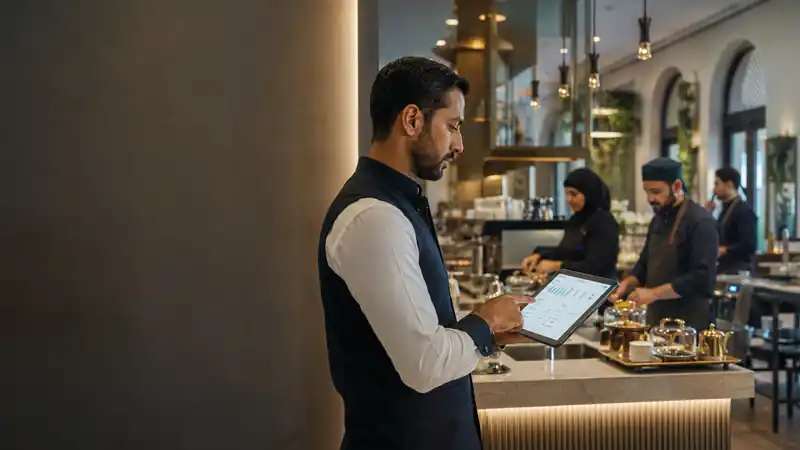
Management in motion
Plus brings role-relevant operating context closer to where work happens.
What appears and what can be executed are configured by role, branch, and permission so the mobile app does not become a miniature copy of every FoodTech system.
The economics of time
Some decisions lose part of their value as they move away from the moment that created them.
Time before it becomes a report
The same information can change a decision in the first minute and become explanation only after the shift ends.
Exception before average
The day can look normal on average while one small event changes what tomorrow becomes.
Context before notification
A signal without its place, time, and preceding context can be completely correct—and still not useful.
Approval before it becomes waiting
Sometimes work is not delayed because the decision is difficult, but because its owner never saw that it was waiting.
What belongs to my role now?
The mobile surface begins with responsibility, not the number of screens.
Plus organizes what appears by role, branch, priority, and enabled capability. A regional manager and branch operator can work from the same context while each sees what is needed for permitted action.
Context by responsibility
Each role takes from the platform what it needs to work.
Branch now
The operating state relevant to this role and branch at the current moment.
Orders needing follow-up
Order, state, and the context the employee needs for a permitted action.
Inventory needing attention
Available signals about stock or movement without turning Plus into the full inventory system.
Team and shift
Role-relevant operating context without copying HR into the mobile app.
Approvals
Action, owner, and permission boundary before execution.
Brain and BI
A path from the mobile view into analysis or interpretation when the question needs more depth.
From signal to follow-up
The action stays tied to why it appeared and who is allowed to take it.
When approval or follow-up is part of the enabled workflow, operation state and context remain with the action instead of becoming an out-of-system message.
What does Plus add?
A mobile operating surface that reaches the platform from the role’s point of view.
Branch pulse that surfaces exceptions before routine detail
Context connecting an event to branch, order, employee, and state
Prioritized signals instead of an undifferentiated notification feed
Governed approvals and actions within the user’s permission scope
Tracking for orders and states that leave their expected path
Inventory and operating signals that deserve intervention now
A concise view of team, shift, and management follow-up
Escalation into FoodTech Brain and BI when deeper explanation is needed
Decision history preserving who saw, approved, and acted
A touch-first experience designed for movement rather than compressed desktop screens
Where does Plus appear in the work?
The app earns its place in moments when the role needs context away from the desk.
A manager moving between branches sees the exception that matters before dozens of normal metrics
An order leaves its expected path and arrives with branch and state context
A stock signal carries enough context to understand its commercial impact
An operational approval is completed from mobile within explicit permission scope
An unusual signal moves into FoodTech Brain before a decision is made
Plus inside FoodTech
Plus does not own every source of truth; it reaches the part the role needs from its owner.
Orders remain in sales context, employee data in HR, measures in BI, question interpretation in Brain, and financial effect in Finance within enabled boundaries. Plus surfaces or executes what those sources and permissions allow without confusing ownership.
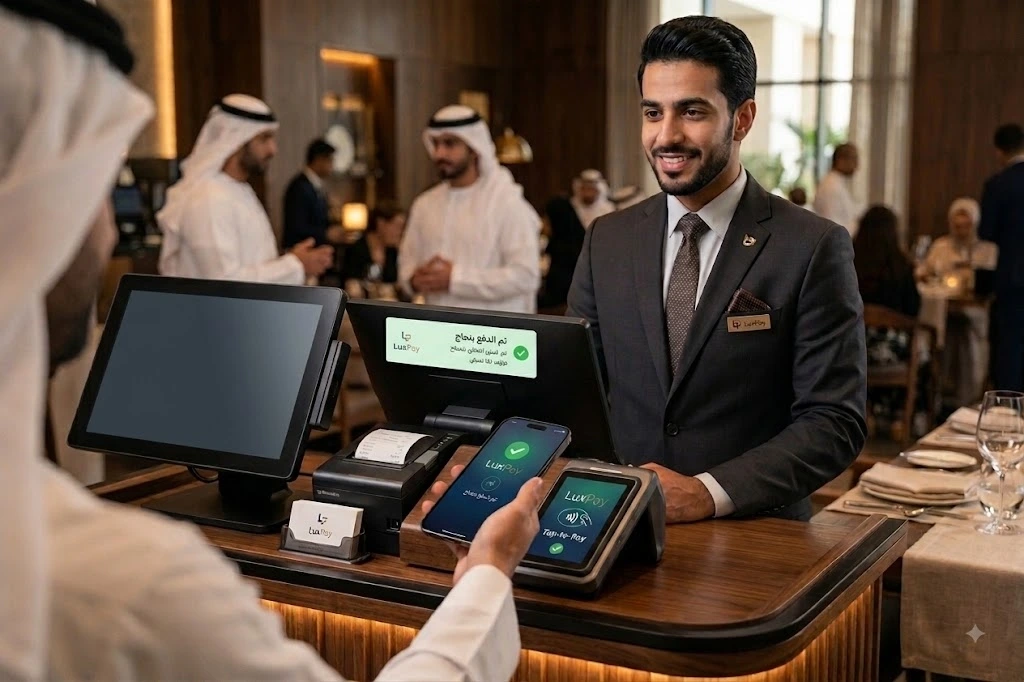
Payment at the service point
The amount that begins in the order can reach payment without being re-entered.
When market, device, and provider support the payment integration, Plus carries order, amount, and transaction state through the enabled flow. Payment result returns to the order according to the provider response.
Comes from the order
The amount can move from the ticket into payment when the integration supports it.
Returns to the ticket
Transaction state remains tied to the order that initiated it according to provider result.
Becomes visible to the team
The permitted role can see what was confirmed and what needs follow-up.
Follows operating rules
Order movement after payment follows state and configured workflow rules.
FAQ
What should you know before Plus becomes part of daily work?
Is FoodTech Plus a smaller management dashboard?
No. It is designed to reorder operations around what matters while moving: signal, context, permission, and decision.
Can every user perform the same actions?
No. Visibility and actions follow role, permission, business, and branch scope.
How is Plus different from FoodTech BI or Brain?
Plus brings operations and action closer to the person. BI expands analysis, while Brain connects signals with context, prediction, and recommendation.
Is Plus only for managers?
The experience can vary by role so each user sees what is required for their responsibility rather than the same crowded dashboard.
Does the operation need a permanent internet connection to keep moving?
Connectivity should add capability, not become the operation’s power switch. Where Offline mode is supported, core work continues locally, events are retained, and synchronization resumes when connectivity returns. Operations that require live verification, including some payment or sensitive actions, remain Online by design. Offline scope varies by product, device, and activation; the goal is to keep work moving even when the network does not.
What if the internet is available — but slower than the operation?
FoodTech does not assume a perfect network. Where supported, every action does not wait for a full server round trip: local state, asynchronous (Async) synchronization, and safe retries keep work moving without duplicating operations. The team can continue what is safe to continue while the system catches up with the network; payments and other sensitive actions still require explicit verification when needed.
FoodTech Plus
Real-time operating context delivered to each role on site.
Managers and staff do not make every decision from the same screen or location.